Wednesday, 24 April 2019

OUGD603 - Personal Typographic Signature ( 1 day brief ) initial ideas

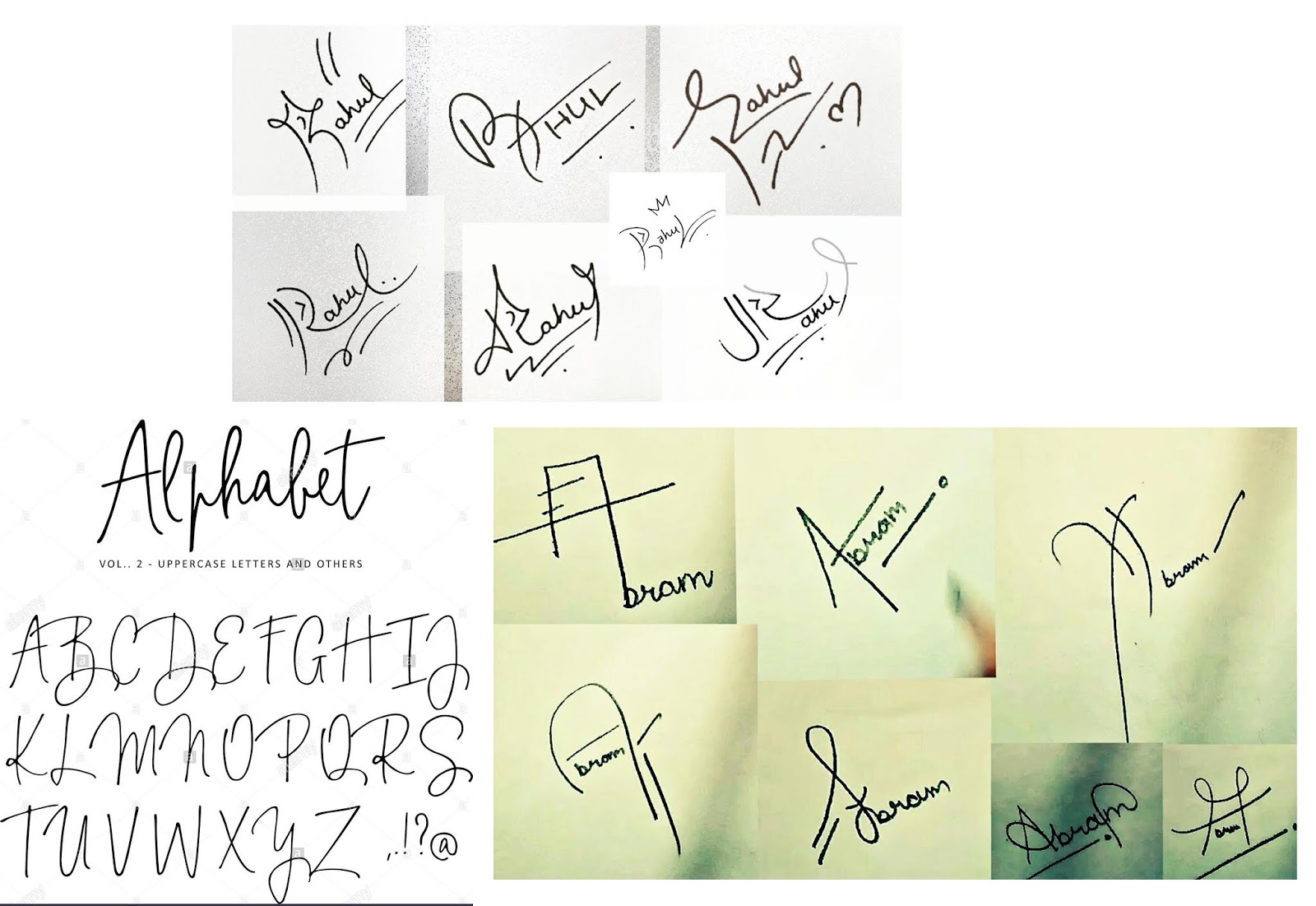
After looking at different styles of signatures, I decided to begin sketching several ideas to use for my own signature. Eventually, I was able to find a style that worked best for me and could be written quickly. After sketching several different variations of the signature, I then scanned the ideas so that they could be studied and compared before deciding on a final design. 


OUGD603 - Personal Typographic Signature ( 1 day brief ) - research

Before beginning the research, I thought about how I would like the style of the signature to look and first listed the styles that inspire my work. From this I could then start to think about how these inspirations could have relevance to the design of a signature and whether they would reflect my style.

Style inspirations
  • street art
  • album cover art
  • 80s synth/wave aethetic
  • 90s rap
  • minimalism
  • stylish/high fashion
  • punk style
  • house/90s rave music
  • vintage style (50s/60s America)
  • wildlife/nature
Inspiring brands
  • Maniere De Voir
  • Nike
  • Maharishi
  • Dsquared2
  • Moretin, Aftermath, Futurism, Subsoul, Bicep - youtube channels
Inspirations
I knew that the style for the signature aimed to look somewhat stylish and sophisticated, but also informal and slightly playful. Therefore, I looked at these examples of signatures that were inspired by street art styles and others that were more elegant. By combining elements of the two, the sketches for the signature could communicate a creative persona with hints of presentability.

OUGD603 - Personal Typographic Signature ( 1 day brief )

Briefbox.com posted an online typographic brief, which involves creating your own signature within a 5 hour time limit. I chose to undertake this brief as I do not currently have a stylised signature and I think that creating one would allow professional emails and documents to look more design focused if they included my own personal mark.

Therefore, today I plan to use the time constraint as a challenge for my design abilities, to see how I manage time during the task. As a result, this may help me to work faster during the design process and subsequently improve my skill set. This will also prove useful for other projects that the signature may be used in, including my personal branding or when networking with professionals.

Time plan
  • 30 - 45 mins research and typography inspiration research
  • 1 - 2 hours sketching ideas
  • 1 - 1.5 hours digitising the signature
  • 30 - 45 mins applying to mock ups
*BriefBox description*
(Today we’re going to look at creating a quick email signature to add a little professionalism to your emails. As a designer, you should use every opportunity to show off your skills. Emails and letters that you send out should reflect your skills as a designer and show that you mean business!
Today we want you to create a stylised, typographic signature of your name. It can be just your first name, your initials or a combination of both… your choice. The finished product doesn’t necessarily have to look like a signature per say, it can be more advanced than that, this is a great opportunity to show off your lettering skills.
Start, as always, by searching for some great typographic inspiration (Check out the useful links sections below to get you started). Think about the style you want to achieve, do you want your signature to be rough and ready, in a script style, or in more refined serif or sans serif letter forms? Your decision. Once you have an idea start sketching out some concepts. These can be quick, rough ideas at first, we can refine them later on.
What I do at this stage is pick one or two of my preferred sketches, scan them into the computer and then print them off at a larger scale. From here I trace the original sketch using thin layout paper, making slight improvements to the letter forms as I go. You can repeat this process again and again until you’re happy with it. Don’t rush straight on to the computer, it will take more time in the long run.
Once I’m happy with the refined lettering, I will once again scan this into the computer and then begin digitalising it using the pen tool. Try and use only horizontal and vertical bezier curves to keep the angles consistent. The awesome guys over at the AGSC created a great tutorial for this technique. 
Once you have you digitalised letter forms you can play around with colour and texture until you have your final piece. This is a great little asset to add to letters, emails, bios, portfolios and resumes. Don’t forget to upload your submissions for feedback from myself and the rest of the community!)

OUGD602 - Studios and Agencies

After completing a week's experience at Uniform studio in Liverpool, I thought about other agencies that could be contacted about job vacancies or internships.

Studios

  • Smiling Wolf studio - www.smilingwolf.co.uk
  • Unit3 Design Studio - www.unit3-designstudio.com
  • Thoughtfully Studio - everythingthoughtfully.co
  • Uniform Agency - uniform.net
  • Black & Ginger - www.blackandginger.com

Thursday, 18 April 2019

OUGD603 - Sport Scouting - Evaluation and reflection

I think that by narrowing down these options for a scout would make the app more desirable to those who do not wish to travel long distance across the UK, without first seeing potential players. This app idea also makes scouting a less pressuring process, as some players tend to perform differently on the field when they know a scout is watching their game. Instead, the app allows the players to showcase the best of their talent and connect with potential contacts who may be interested in bringing them to trials. As a result, the app makes sporting careers more easily manageably for players, coaches and scouts alike, without the stressful pressures often found in youth academies.

In the digital age, making a switch to a digital format when planning matches can be good for a team, as it makes coach decisions quicker and more thorough when explaining.  The information can then be shared on the app with players while outside of the game, meaning there can be more time planning prior to a match and an advantage over competitors. Using the app to view other teams gives players a chance to understand their opponent, understanding their weaknesses as well as their talents before meeting face to face. As a result, the app becomes more desirable in a market that lacks digital scouting options in the UK and provides users with ways to improve their skills on the field as well as their future careers as footballers.

Having little to no prior knowledge of wire-framing an application, it was clear to me early in the process that a project such as this would mean thorough investigation of the topic and what features would need to be added in order for it to provide a unique service that no other app can give. By applying a simple layout and colour scheme, the app gave users a simple break down of the options and how best to use them to their own advantage. However, I would have liked to have further explored the functionality of the app and looked into ways to bring it to life using UX and UI design. As I am not equipped with the knowledge of how to do this yet, I plan to use my experience with wire-framing in this project for future reference if I take on something of a similar nature.

Overall, I think that wire-framing was an enjoyable experience that taught me the many different and sophisticated ways to apply design for a format that is currently in high demand. After working with industry professionals, I was able to apply the research findings during my time there to this project. As a result, the project confronted the issue of youth academies and the pressures young players are under when training to become as big as their football idols. The app gave these players a sense of belonging but also highlights the competitiveness of the sport and encourages them to build a profile which showcases their talent, in the hopes that a scout can find their profile and offer them a trial.

OUGD603 - Sports Scouting - Development (Scout Section)

The final section, Scout, gives the user the option to actively seek out players and teams from around the UK. The screens used in this section however, are quite different to the others as they encourage the user to first identify themselves as officials and enable their location. The analytics of the app would then bring up a search option for the scout to choose either to search for certain types of players, events and trials or upcoming matches in their area. 

Using icons as a strong primary drive in the design, I felt that identifying individual player positions would make the page easier to navigate and condense the option of the search. However, if the scout wishes to search more thoroughly there are search bars located above each feature. This way they can search based on city, team, profile views, trophies and achievements, age, adaptability, years active or player record, to suggest a few.


Each part of the different player types contain a list of the top players in their category, but also top stats based on the play styles. For example, the goal keeper category shows players with the most saves of the season, the defenders section shows the highest number of defensive ranked players, midfielders show the highest assists and the strikers as identified by most goals of the season. This helps to narrow down each section according to play style and gives scouts a recommended list of players of interest in the nearby area. Allowing the user to add players to their 'watchlist' below each section makes it easier for them to refer back to when conducting a search for new players. These individual player options can also take the user to the player's profile to get a more in depth look at their style and talent.


Wednesday, 17 April 2019

OUGD603 - Sports Scouting - Development (Coach Section)

Following on from the player section's layout, the Coach section of the app takes a similar approach to the introduction pages. Starting off with first screen, the app prompts the user to enter their name and connect with their team. These pages allow the coach to search for their team and connect based on their unique sign in codes. The profile is very similar in style to the player's and features 'follow' and 'message' buttons, as well as a share option for others to recommend the profile.

The first tab allows personal details and a short description to be added by the user, while the second tab allows coaches to manage their players and track progress. This second tab placed high rated users at the top, in the interest of coaches and shows results of recent games below. Both of these options can be further navigated and expanded to reveal the full team line up below, featuring player numbers and positions of play. The last tab, 'Strategy' gives coaches the option to 'add a game plan' view 'previous game' plans and save strategic movements for future reference. 


Adding a game plan opens a new screen with a view of the field and prompts the user to add additional sketches, markings and position players on the map. The page could also be expanded and minimised using a full screen button to the left of the field, accompanied by a description below allowing coaches to add notes. The 'previous games' tab shows individual matches and the tactical approach used prior to the game, allowing the user to refer back to a preferred style of play. This too could be expanded and defined by different approaches, with the app suggesting tactical, attack or defensive options for the user to choose from.